

Essential Map App for Visitors to Korea - NAVER Maps with How-to-Use It in Your Language
Planning a trip to Korea? Don’t rely on Google Maps.
If you’ve ever tried navigating Seoul with Google Maps, you might have noticed that it doesn’t work quite as you'd expect - especially for walking or driving directions. That’s because Google Maps faces data restrictions in South Korea, leaving many visitors frustrated.
But here’s the good news: NAVER Maps is a powerful local alternative that’s not only accurate and packed with features—it also supports multiple languages, including English, Japanese, and Chinese.
Let’s walk you through why NAVER Maps is your go-to travel buddy in Korea and how to set it up in your language.
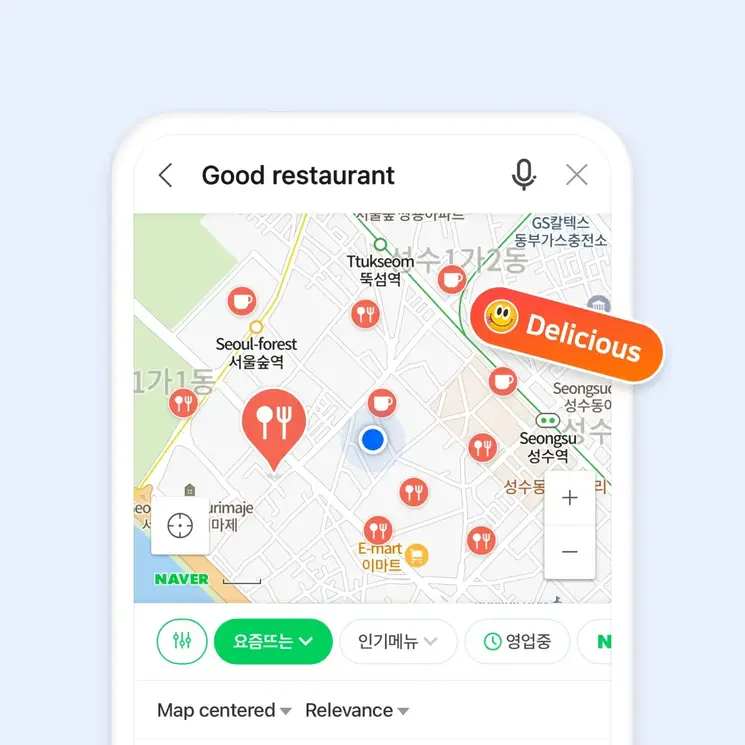
What Is NAVER Maps?
NAVER Maps is Korea’s most widely used navigation and map service, developed by Korean tech giant NAVER. It provides detailed and real-time information on:
• Walking routes
• Public transit (including subways and buses)
• Driving directions (with voice guidance)
• Landmarks, restaurants, and attractions
• Even hiking trails and bike paths
Best of all, it's free and fully accessible in multiple languages.
Supported Languages
NAVER Maps supports: • English • Chinese • Japanese • (and of course) Korean
This includes:
• Map labels
• Navigation voice guidance
• Public transport details
• Subway line maps
• Search results
How to Use NAVER Maps in English or Other Languages
There are two easy ways to use NAVER Maps in your preferred language:
Option 1: Change your phone's system language
If your device is already set to English, Japanese, or Chinese, NAVER Maps will automatically switch to that language the moment you open the app.
Option 2: Change the language directly in the app
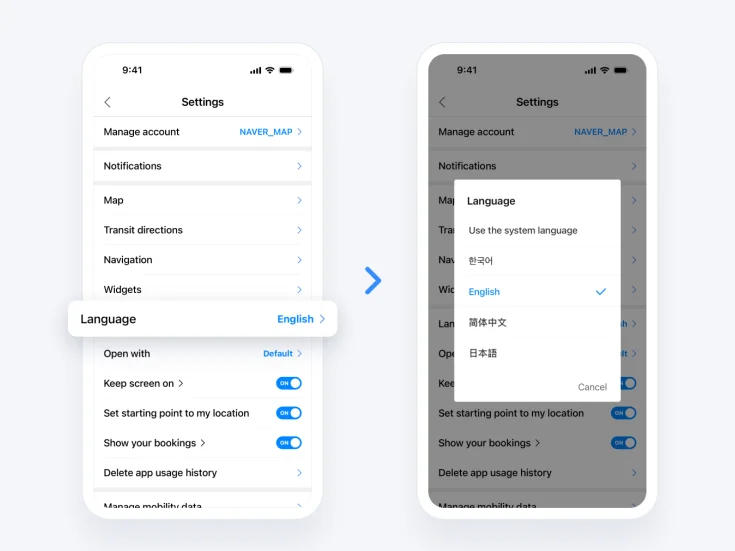
1. Open the NAVER Map app 2. Tap the “More” (☰) menu or your profile icon
3. Go to Settings (설정)
4. Select Language
5. Choose English / 中文 / 日本語
You’re now ready to explore!
Navigate Korea Like a Local – In Your Language
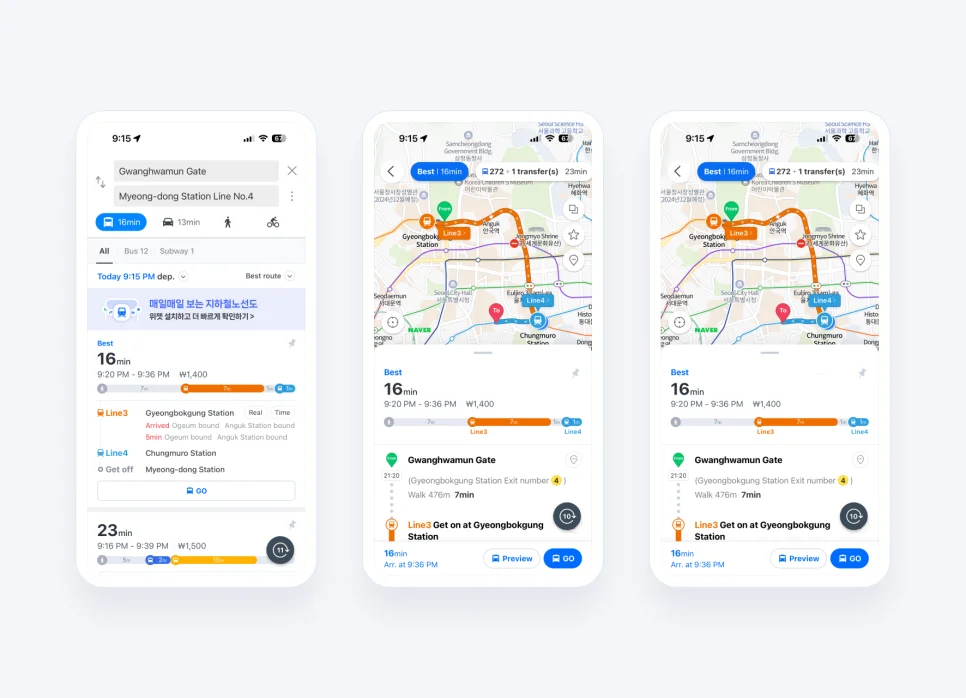
Real-Time Public Transit Info
NAVER Maps offers live arrival times, transfer guidance, and boarding instructions for subways and buses—all in your chosen language.
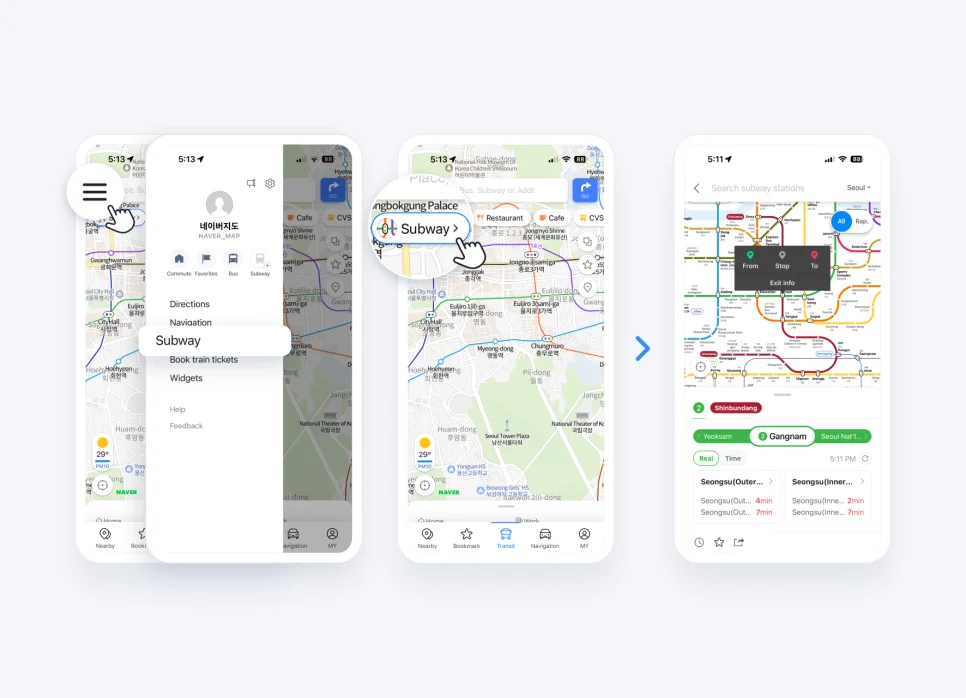
English Subway Map
Subway routes are available in English, with first and last train times, platform info, and live updates for each line.
Driving with Voice Navigation
Prefer to rent a car? NAVER Maps offers English voice navigation. You’ll hear driving instructions in English, while street names stay in Korean to match real road signs—super helpful for staying on track.
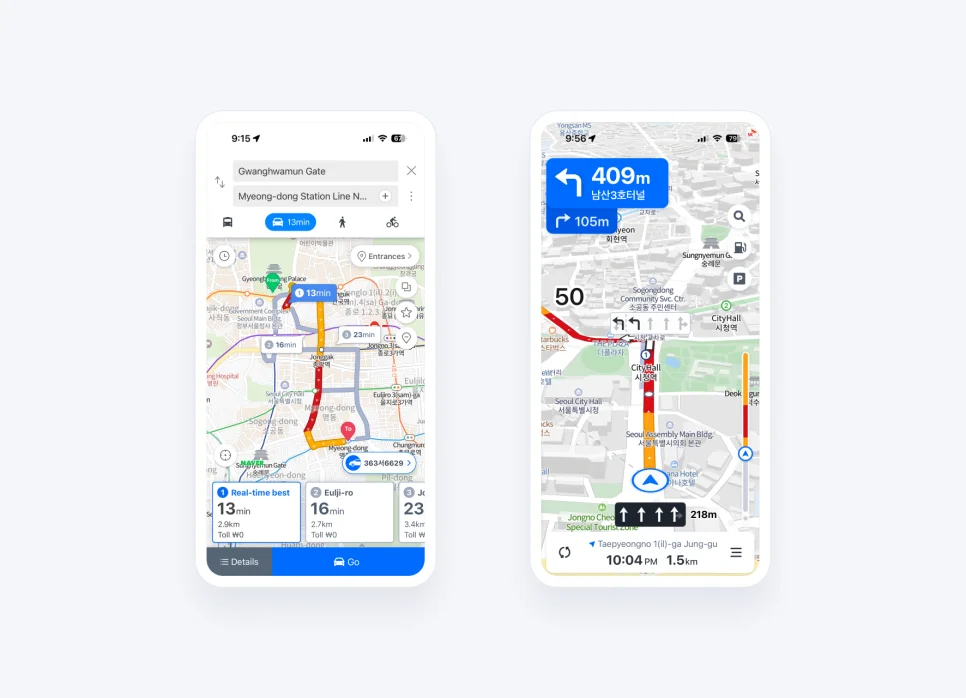
Download NAVER Maps
Android (Google Play)
iOS (App Store)
Usage Tips
• Use real-time traffic info to avoid congestion
• Use the app’s hiking trail maps if you plan to explore mountains like Namsan or Bukhansan
• Save places (e.g., restaurants, hotels) as bookmarks for easy access
• Don’t worry about a login—you can use most functions without one
_
With NAVER Maps in your language, getting around Korea becomes stress-free and enjoyable. From downtown Seoul to countryside temples, it's your ultimate companion for smooth, smart travel.


![[Food in Seoul] Via Toledo Pasta Bar – The Culinary World of Chef Kwon Seong Joon (Napoli Mafia)](/api/image-proxy?path=blog_posts%2F1739008404442%2Fimage-0-via_toledo_01.webp&token=38c0e3d3-e02e-4bcb-b728-8c73df27e9ff)